PDA Defense Features
Please see the table below for detailed explanations of the many features of SureWave Mobile Defense (formerly PDA Defense) software.
| Feature | Description |
|---|---|
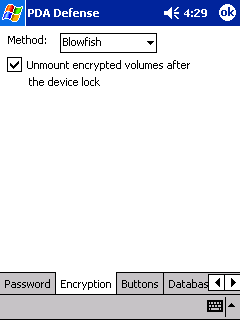
| 64-bit Blowfish encryption | 64-bit Blowfish encryption protects any information stored on a device. |
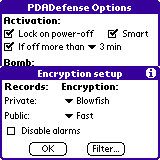
| 128 - 512-bit encryption | 128-bit and 512-bit Blowfish or 128-bit, 192-bit and 256-bit AES encryption protects any information stored on a device. |
| Card encryption support | Support for memory card encryption. |
| Auto-encryption of new databases | Automatically encrypts new databases when added. |
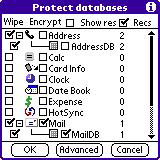
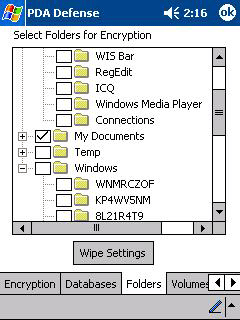
| Selective database encryption | If an application uses multiple databases, the user can choose to encrypt any or all databases used by that application. In the Enterprise version, the administrator chooses the databases to be encrypted. |
| Password encryption | Rather than the password itself, only an encrypted form of the password is stored using an MD5 hash. |
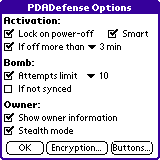
| Bitwiping "bomb" | PDA Defense prevents "brute force" attacks by limiting the number of attempts to unlock the device. When the user exceeds the maximum number of attempts, the "Bomb" feature activates PDA Defense's patent pending bitwiping technology, which bitwipes all RAM databases without a user prompt. Of course, the user can restore the data from his or her PC if the device is recovered or replaced with a new unit. On the Pocket PC version, any password information is also wiped. |
| Time-sensitive bitwiping "bomb" | PDA Defense prevents unauthorized access to data if the PDA is lost or stolen by allowing the user to bitwipe the data automatically if a HotSync® operation is not performed on the device within a specified time frame. |
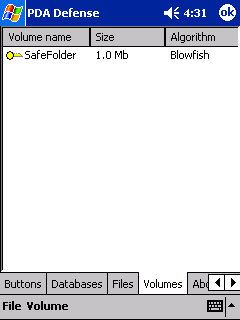
| Decryption-on-demand | Decryption-on-demand maximizes performance and response time by decrypting databases, (encrypted volumes on Pocket PC) and PIM data only when needed, instead of all at once. |
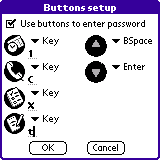
| Hardware button password entry | Optional hardware button password entry -- instead of the on-screen keyboard or Graffiti® software -- dramatically speeds up password entry time. |
| Auto-lock | Time-delayed lock or lock upon shutoff. |
| Soft-reset activation | PDA Defense will be activated even after a soft reset on a locked device, requiring the user to provide a password to gain access. |
| Data transfer disabling | PDA Defense disables data transfer mechanisms, such as HotSync operations and IrDA, when the device is locked. It also prevents use of system shortcuts to access the Palm OS debugger. |
| Encryption key erasure | PDA Defense erases the encryption key after the device is locked. The encryption key will be generated when user enters the correct password, and there is no way to recover an encryption key from the stored password hash. |
| Password history tracking | To provide better security, PDA Defense tracks the end user's password to ensure that the same password is not used repeatedly when the end user is forced to change it. This value can be set from 0, no password history, to 10, recollection of the current password as well as the previous 9. |
| Password masking | To enhance security, PDA Defense masks the password as it is entered on the System Lockout screen. Passwords entered cannot be seen on the screen because all symbols are replaced with an asterisk (*) as the password is entered. |
| Stealth mode | An optional stealth mode makes the device even more secure by changing the system lockout screen to look like the standard Palm OS security dialog. |
| Temporary unlock password | This feature allows the PDA Defense administrator to give an end user a password that can be used to unlock their device in case the end user has forgotten their password. The end user will generate a unique ID number for their device, and in turn, that ID number will be used by their administrator to generate an unlock password that will last for 60 minutes from a starting time of the administrator's choosing. |
| Application launch protection | Application password protection provides additional protection to certain applications by forcing password entry before the application can be run. |
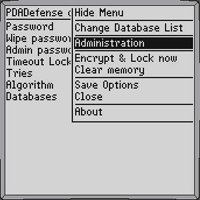
| Admin application lockout | Admin application lockout prevents users from running applications not approved by the administrator. |
| Custom splash screens | Allows administrator to set a different logo on the lockout screen. |
| User-specific policy settings | Administrator can set individual policies for users. |
| Enterprise-wide policy settings | Administrator can set both default and mandatory policy settings for the enterprise. |
| Enterprise-wide password policy | Administrator can specify password minimum length, whether or not it requires both letters and digits, and intervals in which the password much be changed. |
| Admin IrDA disabling | This feature allows administrators to disable the use of infrared data transfers. |